Ford's Simple Vision for Smart Tech: Make It for Everyone

Technology

If you’re not familiar, BlueCruise1 is Ford’s hands-free highway driving technology. It can make driving less stressful and more enjoyable whether you’re on a road trip, stuck in stop-and-go traffic, or just commuting each day.
BlueCruise is a Level 2 driver assistance system. This means that even though your hands can be off the wheel on designated highways while BlueCruise is activated, your vehicle requires your full attention and you must be ready to resume control at any time.
BlueCruise is available on 97% of U.S. and Canadian controlled-access highways, which we call Blue Zones, and is used safely every day by Ford and Lincoln customers in 17 countries. Globally, 1.2 million BlueCruise-equipped vehicles are on the road today, and this technology has been used for more than half a billion miles of highway travel.2
We’ve made thoughtful, deliberate product development and marketing choices to help ensure our product is safe to use and easy to understand. This approach has made BlueCruise recognized by key third-party groups as a top-ranked system, for "keeping the driver engaged,” and for making it “clear when safe to use.”
As the safety, engineering and design teams that developed this product, we’d like to share some of the decisions we’ve made to prioritize safety in our product design.
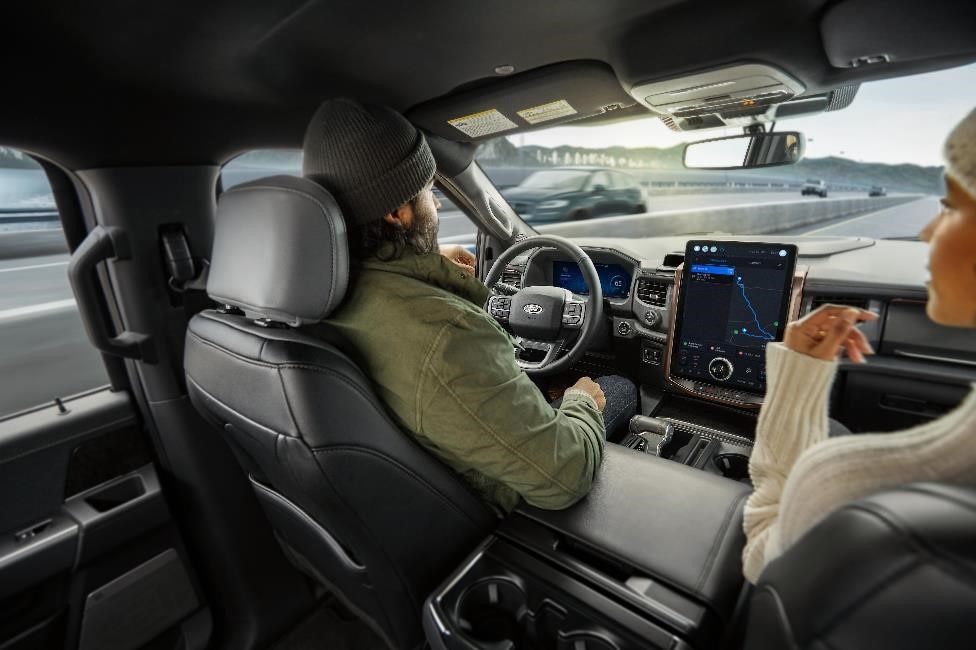
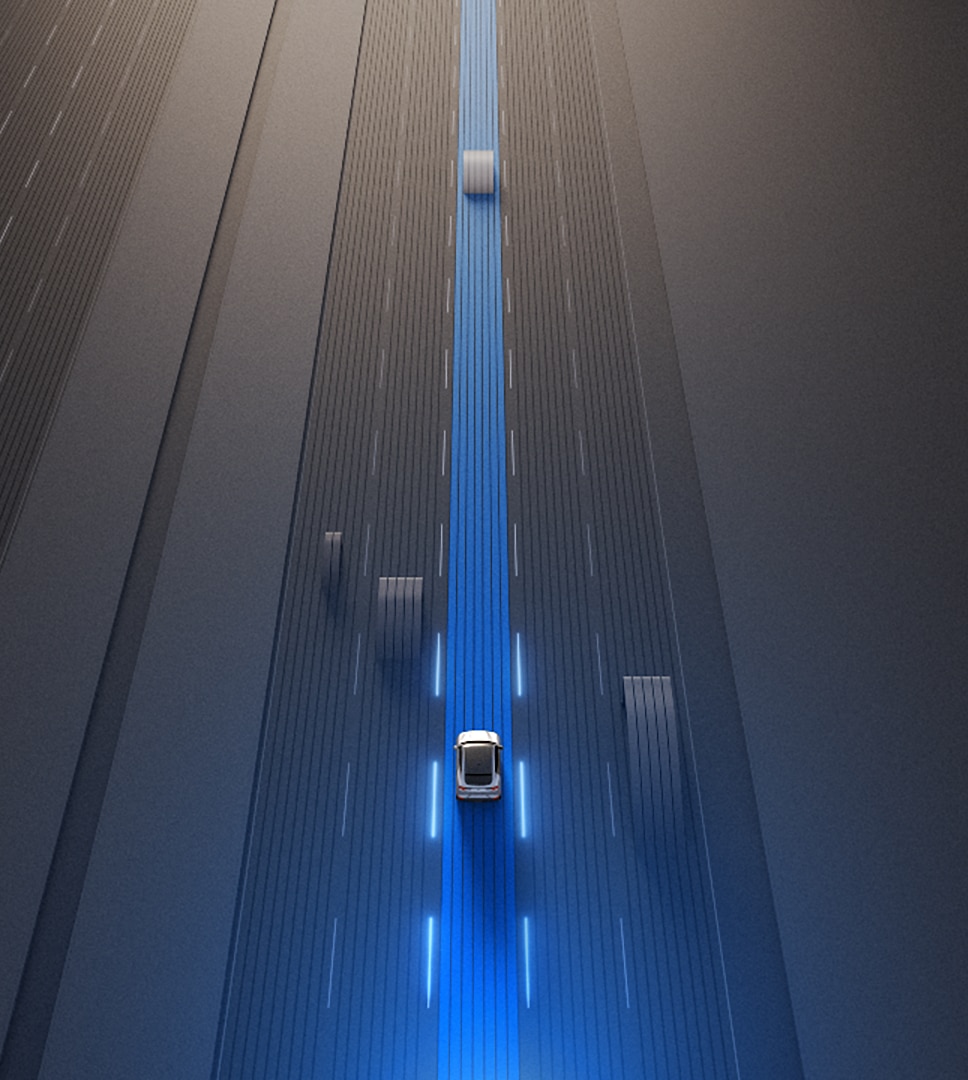
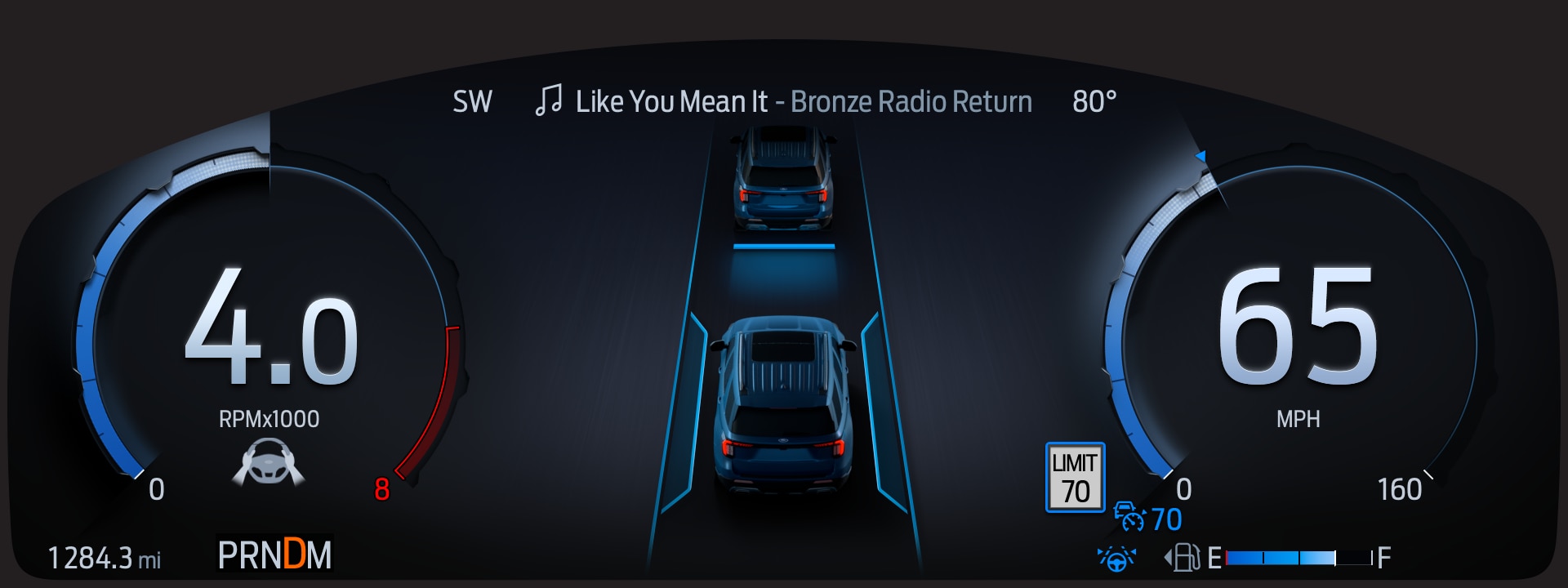
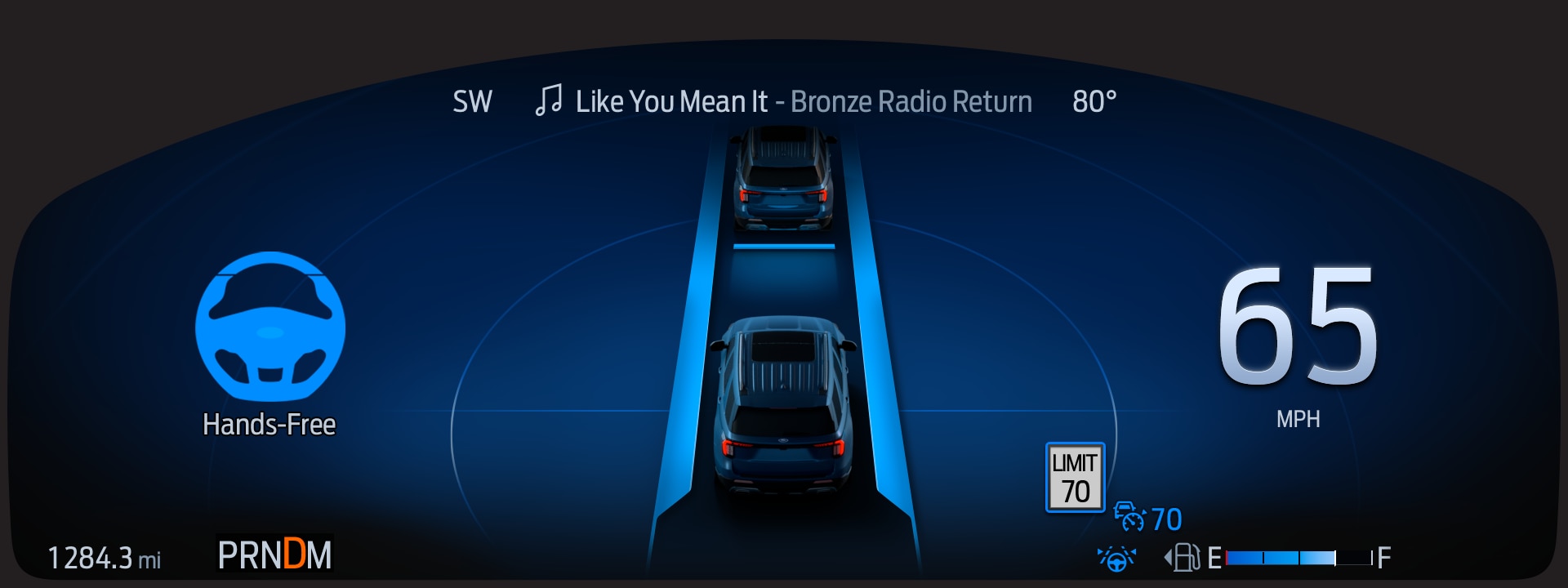
One important way we’ve made BlueCruise different from some competitors also building Level 2 products is that our system is collaborative. The entire BlueCruise interface was built to help the driver understand what level of assistance the system is providing, and what their responsibilities are at any given moment. When BlueCruise is active, the instrument cluster transforms with an unmistakable blue hue and a prominent text notification. We chose this distinct visual language so the driver instantly understands the system’s status.
A driver can touch the steering wheel to make an adjustment, accelerate to pass another vehicle, or make a lane change and they won’t be disengaged from the system while BlueCruise is active. See a pothole ahead? You can adjust your vehicle within the lane manually without deactivating the BlueCruise system.
A collaborative system must also be seamless. As soon as you tap the brake or leave a Blue Zone, the system notifies you and hands control back. The transition is designed to be fluid, keeping the driver confident and in command.
We designed a collaborative system because we believe it’s important to keep drivers as engaged, attentive, and comfortable as possible. This 2024 study from the Insurance Institute for Highway Safety has more information about the safety benefits of collaborative driving.
Our notification system further works to help drivers stay engaged and involved: Our guiding principle is clarity. We designed driver communications to be intuitive for users of all backgrounds and levels of familiarity. BlueCruise turns your display blue, plus it utilizes a combination of easy-to-understand icons and text-based messages like the one you see in this article. These messages tell you when BlueCruise has been activated and when you need to put your hands back on the wheel. The first thing you see as you activate the system? A notification reminding you to stay alert.
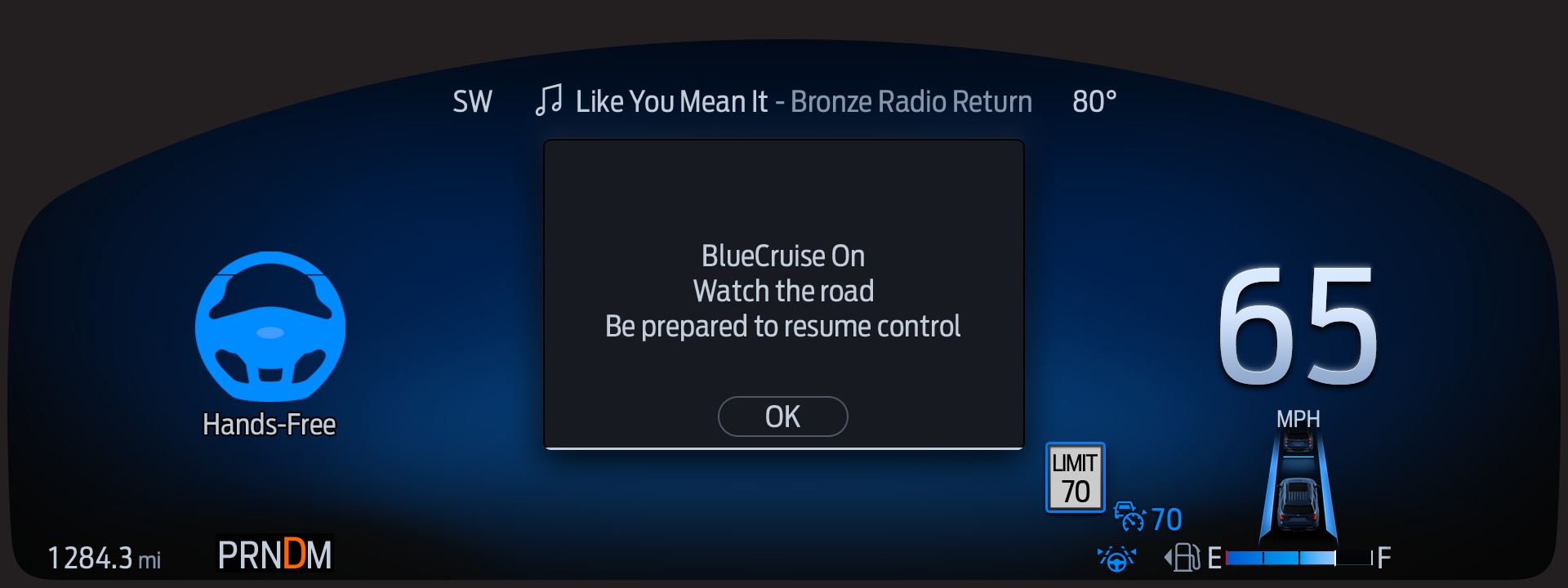
Let’s say you’re on a highway with worn-out road lines. BlueCruise's radar, cameras and sensors are used to read lane markings on the road to help sense other vehicles, and if the system is not able to detect those lines, it will alert the driver with a clear visual warning—RESUME CONTROL—paired with audible tones. The system is designed to communicate before it reaches its limits, helping to ensure the driver is not caught off guard.
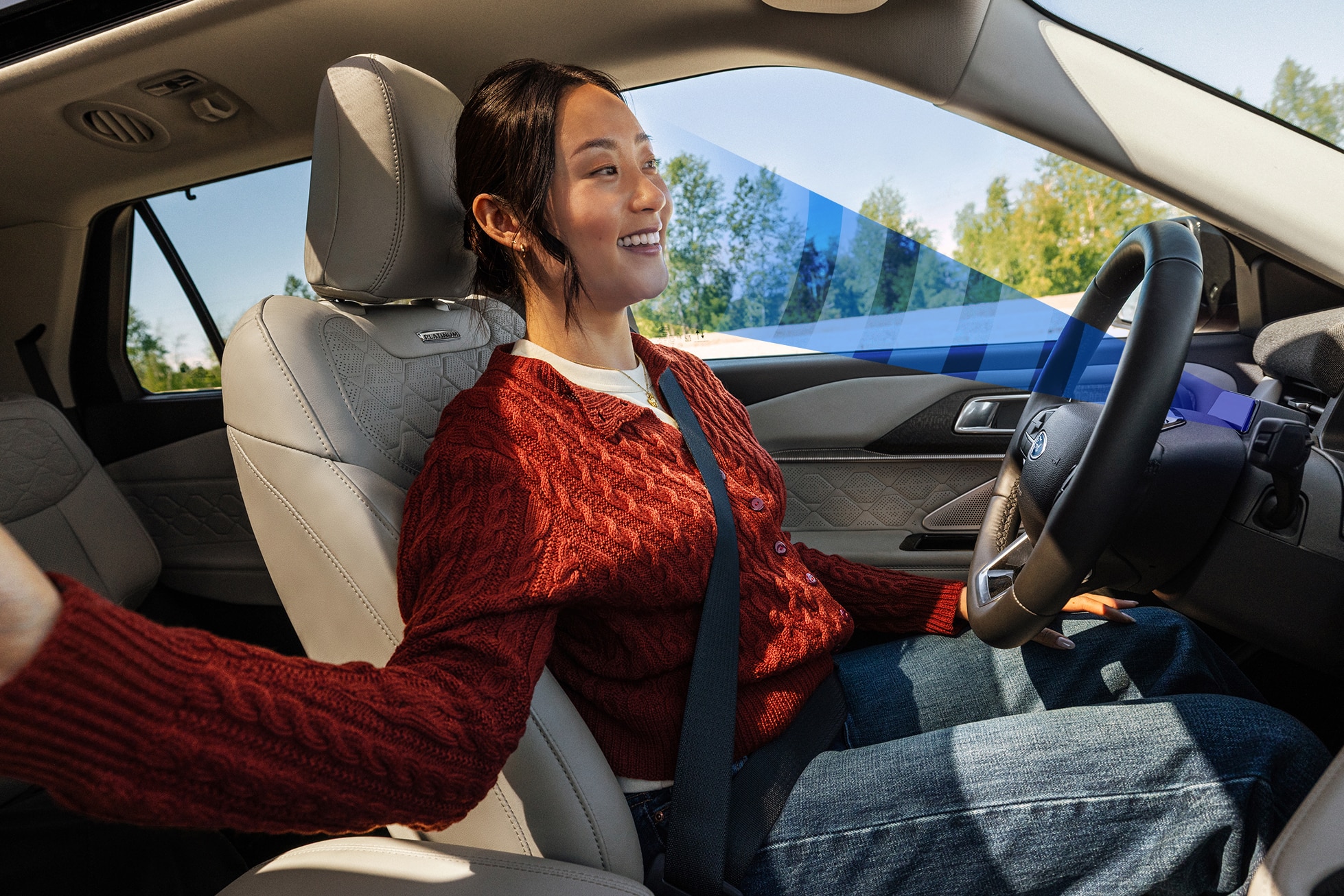
Every BlueCruise-equipped vehicle includes a dedicated driver monitoring system. This system reminds the driver to keep their eyes on the road, even while their hands are off the wheel. This is a non-negotiable safety guardrail. Unlike some systems that only monitor steering wheel torque, BlueCruise helps to ensure your eyes are on the road.
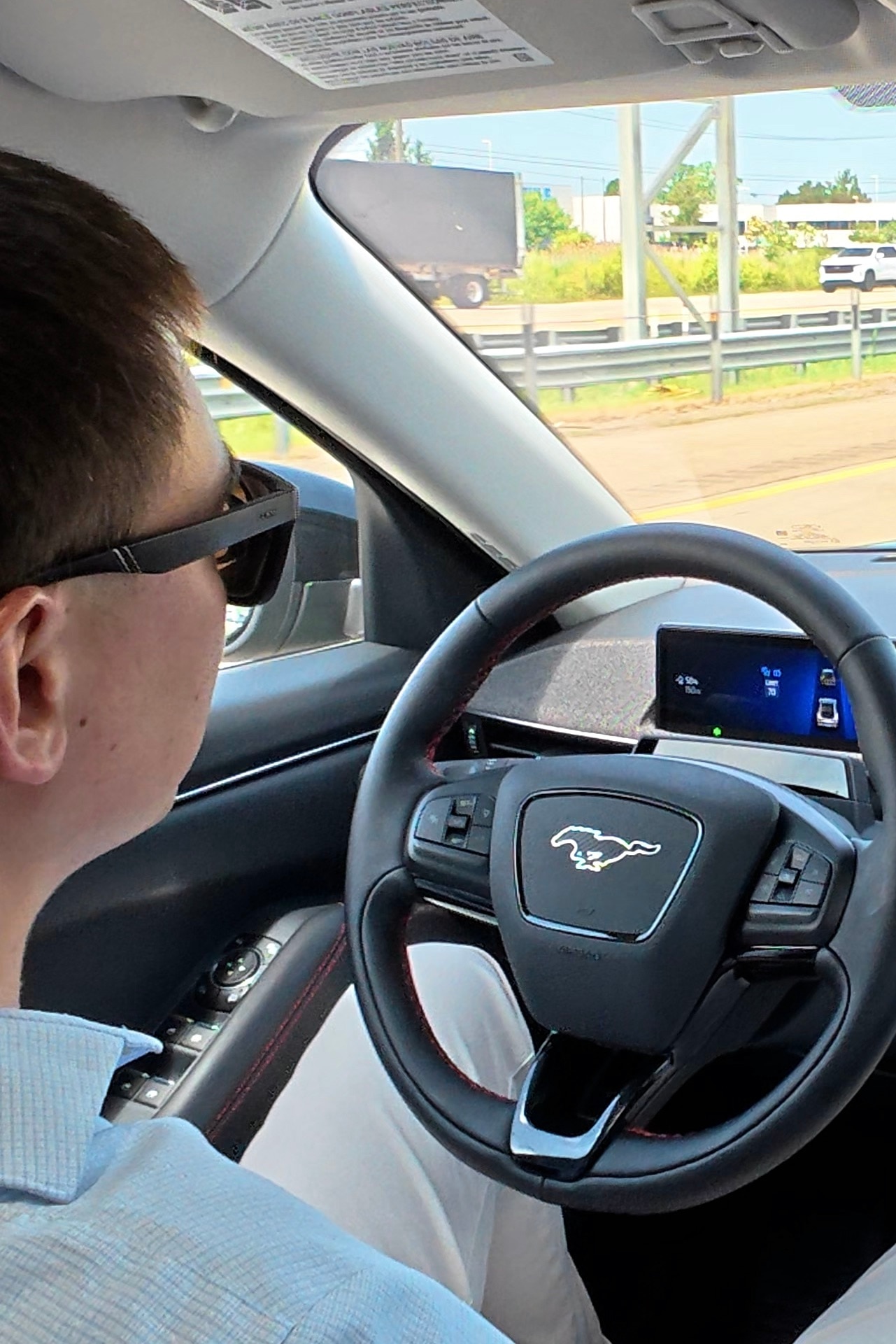
To help ensure drivers keep their eyes on the road while their hands are off the wheel, a driver-facing camera checks the driver’s eye gaze and head position – even when they are wearing sunglasses. This tech can sense when you’ve lingered a little too long with your eyes off the road, and it can also sense when the camera has been blocked. In cases like these, BlueCruise is designed to deliver an escalating series of both audio and visual warnings, then hand control back to you.
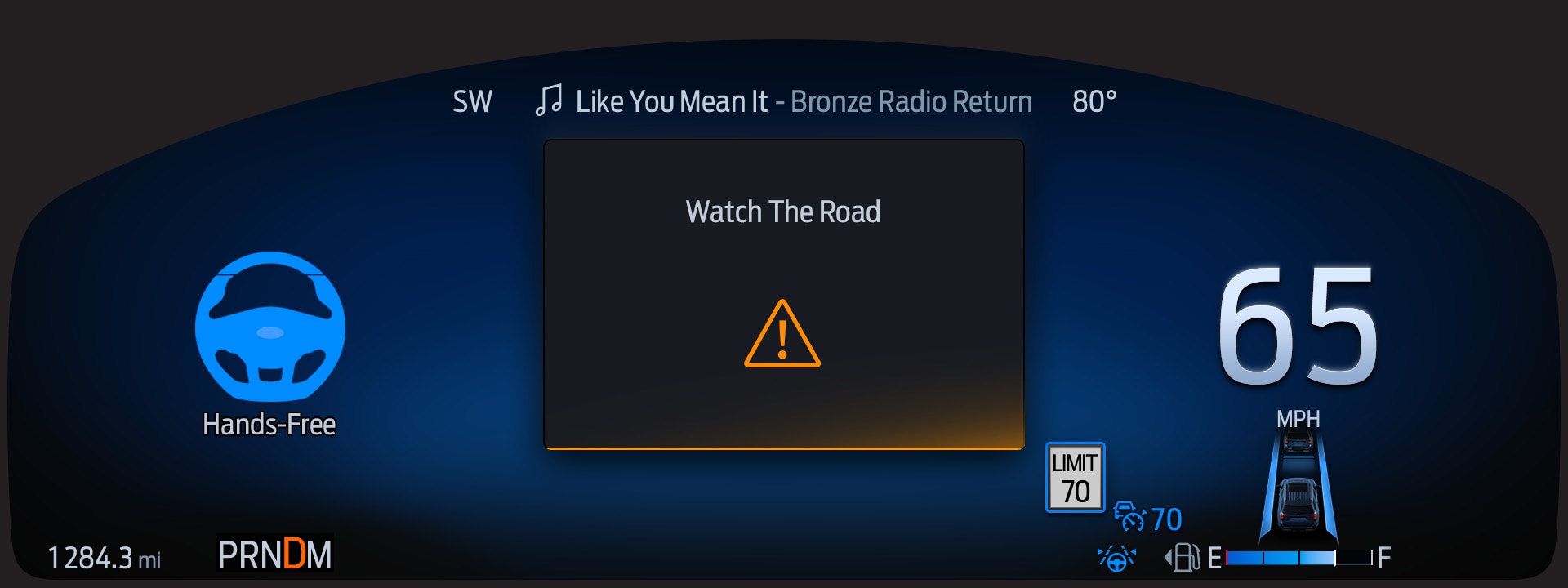
Ford respects your privacy, so this camera is only active while the driver chooses to use BlueCruise or lane centering assist in combination with adaptive cruise control, and no images, photos or videos are off-boarded from your vehicle to Ford during regular use.
BlueCruise is a living system. We have launched five generations of software since 2021, driven by exhaustive real-world data. We do not rely on static assumptions; we evolve the system based on how real people drive on real roads.
Before reaching our customers, BlueCruise undergoes rigorous on-road testing across nearly every imaginable environment—from harsh weather to complex driving scenarios. Unlike some of our competitors, Ford does not beta test new autonomy features or capabilities on its customers, so this data is a vital part of developing improvements and new features.
BlueCruise technology is iterative, and we are on a journey to continue improving the hands-free highway driving experience to keep customers engaged in hands-free mode without interruptions that would require the driver to put their hands on the wheel.
Here’s some of the ways customer learning has translated into product action:
We’ve received amazing feedback on these and other features, and each major update has driven an increase in usage.
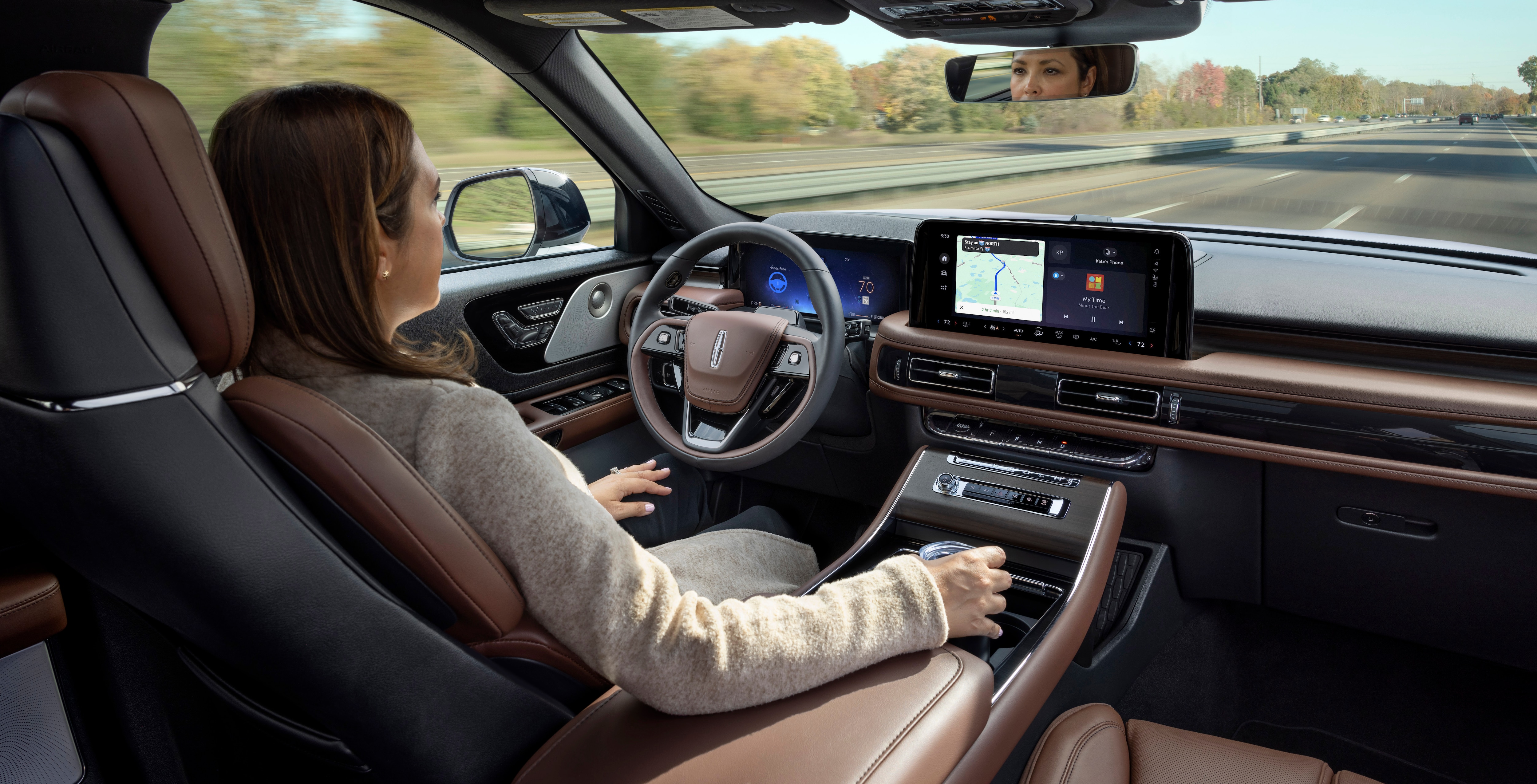
Each time we introduce a new BlueCruise capability, it’s an exciting step toward the eyes-off highway driving vision Ford is introducing in 2028. We are transparent about what the system can and cannot do. We reinforce that today’s BlueCruise technology is a partnership that requires full collaboration, even when your hands are off the wheel.
That’s why we provide education to Ford dealers, devote a whole chapter of our owner’s manual to safe autonomous feature use, and provide BlueCruise safety briefings before news reporters drive BlueCruise-equipped vehicles. We emphasize this information so strongly because it's important that drivers understand, for example, that road hazards can't always be avoided with a technology like BlueCruise – that's why collaboration is so important and why we reinforce it in our design.
For our teams, one of the most gratifying things about our work is seeing BlueCruise’s user community grow each year. BlueCruise usage in the U.S. surged in 2025 — with an 88% increase in total hands-free miles driven and a 50% increase in BlueCruise trips taken by Ford and Lincoln owners compared to the previous year.3 Our data and research show that our customers are taking to the road safely, understand our tech, and eagerly adopt new capabilities.
Here’s some of the best resources for understanding the benefits, the limitations, and the best practices for using BlueCruise technology:
Getting Started with BlueCruise
BlueCruise is Ford’s hands-free highway driving technology allowing customers to drive hands-free with their eyes on the road. When engaged, BlueCruise will manage the steering, braking and accelerating for the driver. BlueCruise is a Level 2 driver assistance system, meaning the driver must actively participate and be prepared to take over at any time. It’s important for drivers to always keep their eyes on the road. It is not a self-driving or crash avoidance system.
BlueCruise is available to use on 130,000 miles of controlled access highways across the U.S. and Canada, which we call Blue Zones.
BlueCruise is built on Adaptive Cruise Control and allows you to take your hands-off the wheel, while keeping your eyes on the road, while the vehicle manages the steering, braking and accelerating. To enable BlueCruise, you must have a BlueCruise-equipped vehicle which is available on select Ford and Lincoln vehicles, and an active BlueCruise subscription.
Driver assist technologies such as Cruise Control and Adaptive Cruise Control require you to keep your hands on the wheel. Cruise control allows the driver to maintain a set speed without the driver constantly pressing the accelerator. Adaptive Cruise Control takes this a step further and will automatically adjust the vehicle’s speed and brake to maintain a specified distance from the car in front of you.
To enable BlueCruise hands-free highway driving, the BlueCruise-equipped vehicles have hardware including radar, cameras and other sensors surrounding the vehicle. The radar, cameras and sensors are used to read lane markings on the road to help sense other vehicles. The pre-mapped highways inform the vehicle of roadway attributes and tells the BlueCruise system if it is within a Blue Zone, an area where the system can provide hands-free highway driving. If you are traveling under 80mph and all conditions are met for BlueCruise to engage, the driver is notified via the in-vehicle screen that BlueCruise is available.
If you have a BlueCruise-equipped vehicle and you have an active BlueCruise subscription, it is very simple to use and activate. Once on the highway, press the Adaptive Cruise Control button on the left-hand side of the steering wheel to use BlueCruise. You can set your desired speed and gap settings via the buttons on the left-hand side of the steering wheel as well. When the display screen turns blue and the hands-free icon appears, that means you are in a Blue Zone and can drive hands-free. With your eyes on the road, you can take your hands off the wheel and BlueCruise will help steer, brake and accelerate. If the hands-free icon does not appear, you are in hands-on mode, which is simply Adaptive Cruise Control.
Safety is a top priority at Ford, and we have designed and built Ford BlueCruise accordingly. BlueCruise utilizes a driver monitoring system that tracks eye gaze and head position to help remind the driver of their responsibility to stay alert. If the system detects that the driver moves their attention from the road this will trigger escalating audio, visual, and haptic alerts. BlueCruise will disengage if the driver does not return their attention to the road. BlueCruise does not replace the responsibility of the driver to remain engaged and be prepared at all times to take control of the vehicle, as well as follow all local laws, including speed limits.
The driver monitoring system in the instrument panel monitors eye gaze and head position to help ensure the driver’s eyes remain on the road.
The driver-facing camera will work with face coverings, such as masks or religious clothing, and also with most sunglasses.
At Ford, safety is a top priority, and we want to ensure customers are using driver assist technologies safely and as intended. With Adaptive Cruise Control or Ford BlueCruise for hands-free highway driving, the camera and radar on the vehicle need to be able to "see" and recognize lane lines in order to operate. Rain, fog or snowy conditions can be an obstruction to visibility. While these systems will deactivate themselves when not able to detect lane lines, driver assist features do not replace safe driving or the driver's need to control the vehicle. Per the owner's manual, these systems should not be used when there is poor visibility.
1Available feature on select vehicles. BlueCruise requires an active plan or trial — see ford.com/bluecruise or lincoln.com/technology/bluecruise for details. Terms apply. BlueCruise is a driver-assist feature and does not replace safe driving, driver’s attention, judgment, and need to control the vehicle. Only remove hands in a hands-free Blue Zone. Always watch the road and be prepared to resume control. See Owner’s Manual for details and limitations.
2Highway miles driven are based on roads in North America and 15 European countries where BlueCruise is currently available.
3Based on internal Ford data on BlueCruise engagement in the United States between Jan. 1, 2025 and Dec. 31, 2025 [in comparison to 2024 (Jan 1. 2024 – Dec. 31, 2024)].