

Your Ford vehicle is the key to spending time on what matters most to you, which is why OTA (Over-the-Air) software updates are a feature in every vehicle we manufacture today. Ford uses OTAs to deliver updates and fixes as well as new features and upgrades.
We built in automatic software updates and scheduling, so you can set it once, take "making sure my vehicle is up to date” off your to-do list, and go on with your day. But if you want to know a little more about how OTAs work and why we use them, we put together an “OTA 101” — read on for more.
What is an OTA?
The acronym stands for Over-the-Air, and it’s a type of software update. Specifically, an OTA is the wireless delivery of new software to your eligible vehicle. During an OTA, your vehicle receives updates or new features via its on-board cellular connection.
Why do I get OTAs?
An OTA is a quick and easy way for you to receive updates to the software on your vehicle from Ford, similar to how your smartphone receives updates to improve performance, fix bugs, or boost security.
Who gets OTAs?
Every Ford and Lincoln vehicle sold today in North America is capable of OTAs, and they were available on some vehicles starting with the 2021 model year.
When do I get OTAs?
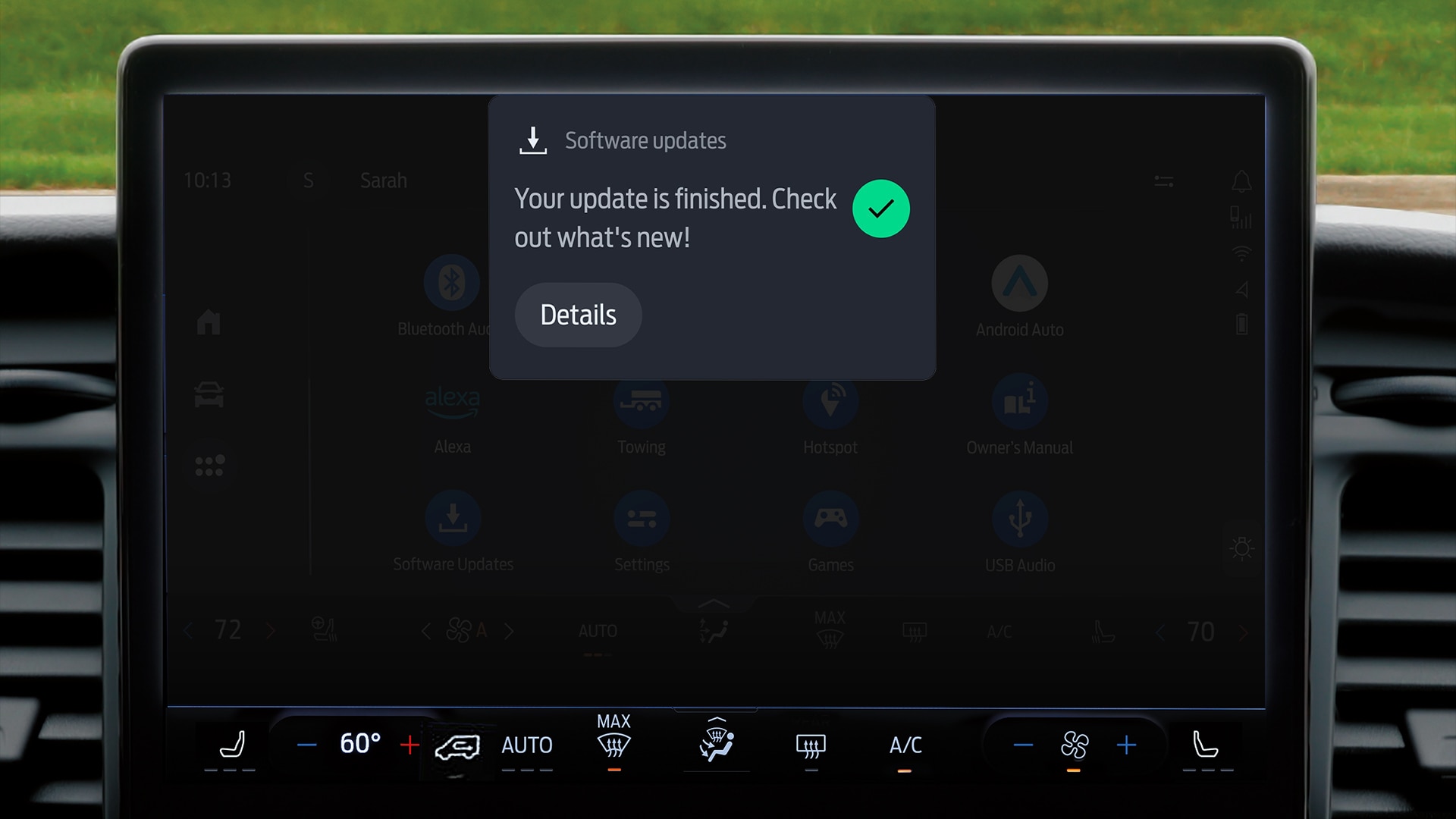
Ford pushes OTAs to vehicles on a regular basis. When exactly you receive one depends on your vehicle’s year, model, or trim levels. Updates are often rolled out in waves to help ensure a smooth deployment across our vehicle line-up. You should typically see a notification on your in-vehicle screen or in the Ford app when an update has been installed.
How do I get OTAs?
To make sure you are receiving all OTAs available for your vehicle, take these two important steps from the Ford app or your Vehicle Settings menu: ensure Automatic Software Updates are ON (factory default) and set a Recuring Update Schedule for a time when you won’t need to drive for a short period (Ford recommends Monday through Thursday at 1 am). Without completing both, your vehicle may not install all the available updates.
For more information on software settings, and to view the history of OTAs sent to your vehicle within the last 180 days and the accompanying release notes, you can head to the Software Updates page on Ford.com.
Why do I have to schedule a window?
While many OTAs can and do happen in the background while you’re driving, some require a short period of vehicle downtime.
We recommend customers schedule their update window to make sure these updates will install when you won’t need to drive for a short period. Customers have complete control over their schedule and can change it at any time.
How does Ford use OTAs?
Ford uses OTAs to provide updates for two purposes: to deliver new features and enhance capabilities; and to provide behind-the-scenes improvements to the software on the vehicle, which can also include delivering recall remedies to vehicles in an easier and faster way than requiring a customer to go to their dealership.
Wait, so I can get a recall fixed via OTA?
If a recall is software-based, Ford can often deploy the fix directly to your vehicle in an OTA if you have enabled Automatic Software Updates on your vehicle. This makes remedying the recall convenient, as you can schedule your updates to take place while you’re at home or at work, without requiring you to book an appointment or leave your vehicle at a Ford service center.
If you do not have Automatic Software Updates enabled and a schedule set, you will need to manually complete each update as prompted. If you do not manually accept the updates, or have connectivity issues, you will need to contact your local dealer to have the updates completed.
Also, if a recall involves a physical part or service in addition to a software update, you will still need to visit a dealer for the no-cost repair, but Ford is increasingly using OTAs to help make the recall process as seamless as possible.